



Price: $79.99 - $74.99
(as of Mar 03, 2026 09:39:13 UTC – Details)

Product description


1 Full Hot-Swappable
2 Linear Switch
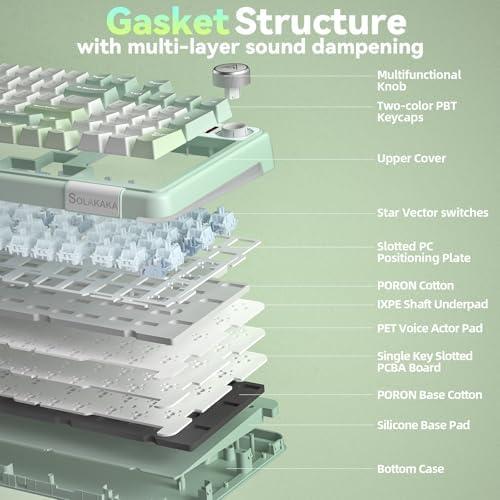
3 Gasket Structure


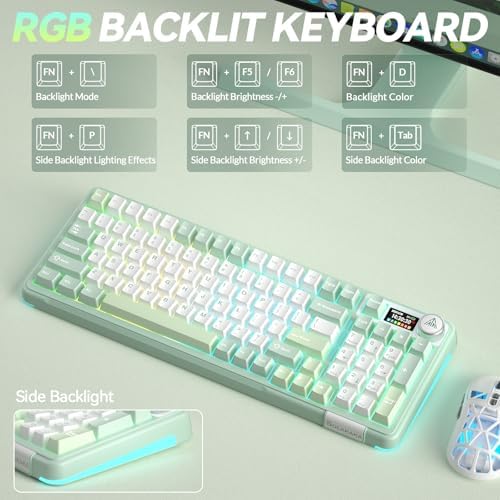
1 Backlit Keyboard
2 High-Capacity Battery

Software download: solakakadriver.com (This software only supports Windows systems. Please run the driver in wired mode.)
What should I do if the plastic covering on the screen has scratches or curled edges?
The plastic covering on the screen’s surface protects it during transportation. If the plastic covering has scratches or curled edges, it can be peeled off without affecting the screen’s use.
Why can’t I run the driver software?
Please check if the driver software is running in USB-C wired mode. The driver software only supports wired mode and Windows systems.
How do I set up the GIF image?
You need to run the driver software in USB-C wired mode. And click the file download button to access the GIF image management page. Click “Upload” to upload the pre-downloaded GIF image. Click “Apply”. The GIF image will appear on the screen.
How can I prevent the GIF image on the screen from switching back to the home page after entering the sleep mode?
Please download and install the firmware of A99 Pro in wired mode. Download address: solakakadriver.com (please download the firmware for the corresponding keyboard). After the application, please reopen the mode switch and reconnect the keyboard.
How to Switch Systems?
1. Locate the“System”settings on the screen, rotate the knob to select it, then press the knob to confirm.
2. Shortcut Keys for Switching Systems. Press “Fn+W” to switch to Windows; Press “Fn+M” to switch to Mac.
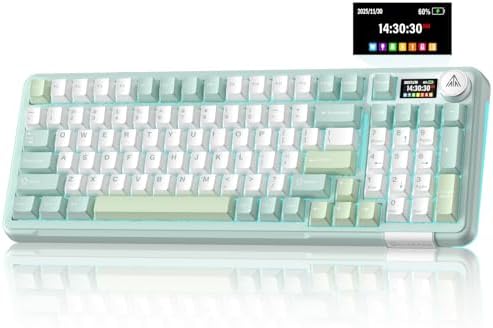
LCD Screen and Multi-Function Knob: To enhance mechanical keyboard usability, an LCD screen is included to display functions and information. Such as date, time, battery level, connected system, connection mode, RGB mode and colors. And the gaming keyboard features a multi-function knob. By rotating, short-pressing, or long-pressing the knob, you can easily set the time, switch systems, change lighting modes and colors, adjust brightness and control volume on the LCD screen. This allows you to easily customize the computer keyboard to your liking
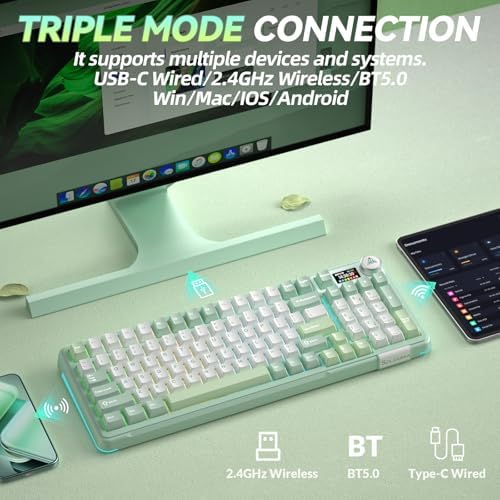
Tri-Mode Connectivity & Multi-Device Support: This wireless keyboard features tri-mode connectivity, supporting BT5.0/2.4GHz wireless/USB-C wired connection. Each connection method offers zero latency and fast response. And it can support up to 5 devices simultaneously. Furthermore, it’s compatible with Windows/Mac/IOS/Android systems, overcoming limitations between different operating systems. And the wireless gaming keyboard supports locking the WIN key and full N-key rollover, preventing accidental presses during intense gaming sessions. Therefore, this wireless mechanical keyboard can meet most of your daily needs
Five-Layer Filling Structure: This creamy keyboard utilizes a gasket structure comprised of five layers of cushioning pads and a single-key slotted PCB. Noise-dampening cotton pads are placed between the pads and the positioning plate to eliminate internal cavity noise and unwanted sounds. This results in a comfortable hand feel and creamy sound. Our creamy mechanical keyboard can be a great companion for both gaming and work
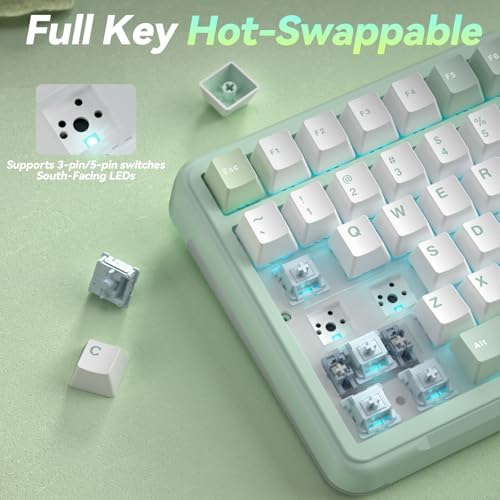
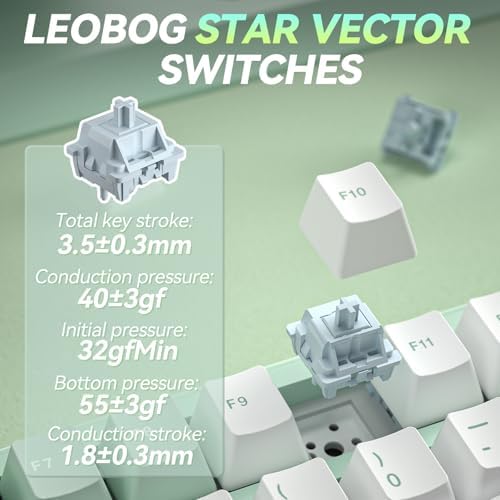
Full Hot-Swappable: The SOLAKAKA A99 Pro mechanical gaming keyboard supports 3/5-pin full hot-swappable technology. It also comes with a keycap puller, allowing you to easily replace switches and keycaps. Replacement is straightforward and requires no soldering, making it easy for both beginners and experienced users. Furthermore, this hot swappable mechanical keyboard utilizes pre-lubricated LEOBOG star vector switches for smooth and stable keystrokes
Programmable Backlit Keyboard: This light up keyboard supports RGB and offers 16 lighting modes. To enhance the gaming atmosphere, side lights are also added to the rgb keyboard, offering 5 modes. And the led keyboard features south-facing LEDs for better light transmission. Furthermore, our custom keyboard supports customizable functions. Through the driver software, you can set sleep time, key mapping, key sensitivity, optimize key bounce, add GIF image to the LCD screen, switch backlight modes and colors(including music rhythm backlight), record macro files and more. Software download: solakakadriver.com (Note: The software supports Windows systems and wired mode only.)
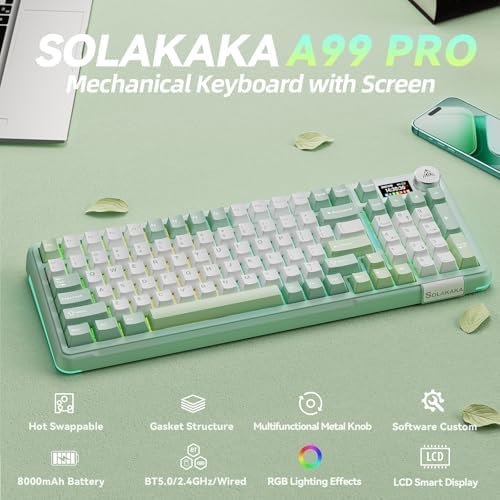
96% Layout and 8000mAh Battery: This pc keyboard has 97 keys, retaining frequently used features such as the numeric keypad, arrow keys and essential function keys for gaming and office work. It saves space on your desktop. And the tablet keyboard utilizes double-shot PBT keycaps, which are sweat-resistant and durable. And the compact keyboard adopts an OEM height design, which can effectively alleviate hand fatigue during long-term keyboard use. Moreover, this office keyboard is equipped with an 8000mAh rechargeable battery, delivering robust battery life. It can sustain operation for approximately 61 hours with backlighting enabled and around 170 hours without backlighting.
