




Price: $149.99 - $129.99
(as of Feb 27, 2026 20:43:05 UTC – Details)

From the brand


GWSGUT Portable Monitor
Welcome to GWSGUT – Where innovation meets mobility.
As pioneers in portable monitor technology, we empower creators, gamers, and professionals with cutting-edge visual solutions.
More Portable Monitors
My portable monitor is a bit dim. What can I do?
As a portable monitor requires enough power to work properly, you can use the provided charger to supply the screen with sufficient power.
Why does the portable monitor fail to display anything when connected with a USB-C cable?
Please make sure to use the USB C-to-C cable to connect devices equipped with a full-featured C port.
What should I do about other issues that I can’t resolve?
Please don’t hesitate to get in touch with us whenever you need—we’re here to help!
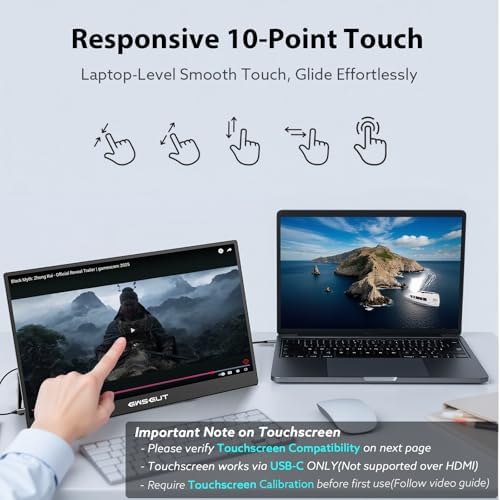
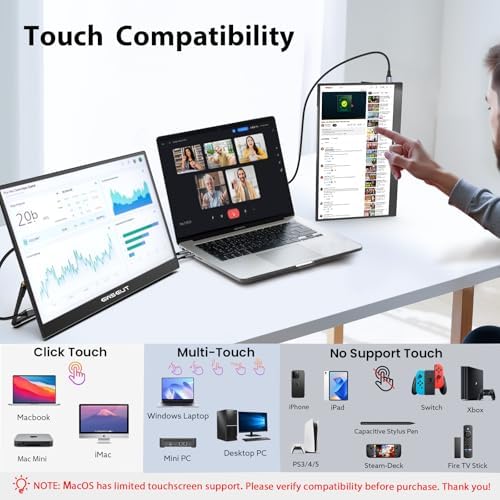
[10-Point Touchscreen]: This portable monitor features 10-point capacitive touch and is compatible with both Windows and macOS systems. MUST NOTE: For Type-C 3.1 DP ALT MODE or Thunderbolt 3/4 ports, a USB-C-C cable handles everything. For other ports, use HDMI+power cable+USB-A-C cable(for touch functionality).
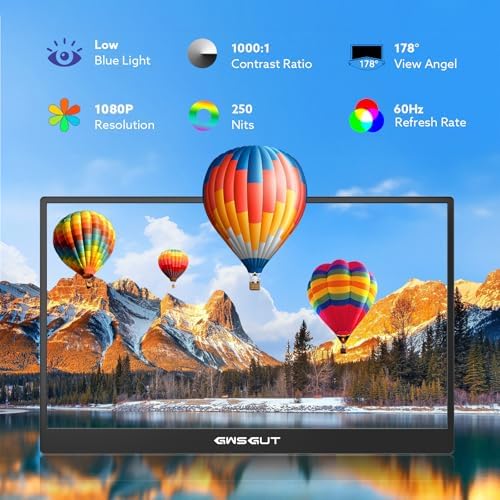
[FHD Portable Monitor]: The 15.6″ portable monitor features a 1080P FHD resolution, 178° wide-viewing IPS panel with HDR and low-blue-light flicker-free technology, delivering accurate color reproduction and stunning clarity for gaming, movies and multimedia.
[Lightweight and Portable]: Weighing only 1.3 lbs with a 0.22-inch ultra-thin profile, can work in both landscape and portrait mode. Equipped with built-in 180°adjustable kickstand and dual speakers, this device can easily fit into any suitcase or backpack.It’s perfect for on-the-go productivity and entertainment.
[Universal Compatibility]: Equipped with dual USB-C ports and a mini HDMI port, plug-in and unplug tested thousands of times, it seamlessly connects to laptops, desktops, mobile phones and gaming consoles — no driver required. MUST NOTE: Some devices donot support touch due to system protection. For example, gaming consoles, iPhone and iPad(It’s NOT the monitor’s problem).
[NOTE]: ①If the screen Flickers/Too Dim/Low Volume, please use included power adapter for optimal performance. ②Please feel free to reach out if you have any questions. Your satisfaction is guaranteed.
